

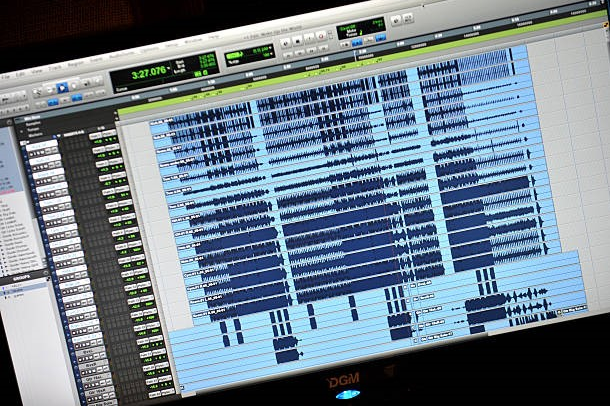
Home studios have made music production more accessible, but they have also created a new set of challenges. Mastering engineers often receive tracks that sound promising yet contain issues hidden beneath the surface. These audio file problems may come from recording choices, export settings, or small technical mistakes that are easy to overlook.
While some issues can be corrected during mastering, others may limit how polished the final track can become. Knowing what mastering engineers commonly notice can help home studio artists prepare cleaner files and avoid unnecessary setbacks before the final stage.
Key Takeaways
- Export files using the correct format and settings
- Keep mix versions clearly named and organized
- Review the full song before submission
- Avoid last-minute processing changes
- Include accurate notes with every project
Common Audio File Problems Found in Home Studio Mixes
-
Clipping And Distortion
Digital clipping happens when the signal exceeds the maximum level the file can hold. Once distortion is printed into the mix, mastering cannot always remove it cleanly.
Before exporting, artists should:
- Lower the master output
- Check peak indicators
- Avoid aggressive limiting
- Leave reasonable headroom
- Listen to the exported file
The mix does not need to sound as loud as a finished release. Final loudness should be handled during mastering, where it can be adjusted without damaging the mix’s natural movement and important musical contrasts.
-
Incorrect Export Settings
Mastering engineers often receive MP3 files, converted sample-rate files, low-bit-depth exports, or mono files when stereo was intended.
Artists should confirm:
- Preferred WAV or AIFF format
- Correct bit depth
- Original sample rate
- Stereo or mono requirements
- File naming instructions
It is usually best to export at the same sample rate used during the recording services and mixing stages. Unnecessary conversion can introduce errors without improving the sound. These audio file problems can reduce file quality and create avoidable delays before mastering begins.
-
Too Much Mix-Bus Processing
Heavy compression and limiting can flatten dynamics, increase harshness, and leave little space for mastering adjustments.
Send an unprocessed mix whenever possible, along with a limited-reference version if loudness is part of the creative direction. This gives the engineer both flexibility and a clear target.
These audio file problems are easier to catch when the export is compared with a trusted reference at a similar listening volume.
-
Uncontrolled Bass
Low frequencies are difficult to judge in untreated rooms and on small speakers. A mix may contain too much sub-bass, weak bass, or uneven notes that only become obvious on accurate monitors.
Warning signs include:
- Kick and bass masking each other
- Rumble below the musical range
- Bass disappearing on small speakers
- Certain notes sound much louder
- Excessive stereo width in the low end
Professional mixing services may be needed when the issue comes from individual tracks rather than the final stereo mix.
-
Noise, Clicks, and Poor Endings
Clicks, background noise, long silences, and abrupt endings are often missed during production. The artist should decide which sounds are intentional.
Review the beginning and ending of every song. Add notes about fades, room noise, tape hiss, count-ins, or effects that should remain. Clear direction prevents accidental edits and saves revision time.
-
Phase and Stereo Problems
Wide effects can sound impressive through headphones but weaken or disappear in mono. Phase problems may affect vocals, guitars, synths, or reverbs across different playback systems. Some audio file problems only become noticeable when the mix is tested in mono or played through different speakers.
Check the mix in mono before delivery and listen for missing or noticeably thinner elements. Projects prepared for Atmos mastering also require correctly labeled stems, matching start times, and consistent session organization.
-
Confusing File Names and Versions
Files named “final”, “final2”, and “finalnew” create unnecessary risk. The engineer may master the wrong mix or pause the session to confirm which version is approved.
Use file names that include:
- Song title
- Mix version
- Export date
- Sample rate
- Relevant notes
Before placing a mastering order, collect the approved files in a single folder and remove outdated versions. Include the track sequence, spelling, fades, and any special instructions in a simple document.
-
Inconsistent Songs Across a Project
Albums and EPs often arrive with large differences in vocal level, bass weight, brightness, and overall density. Mastering can improve continuity, but extreme differences may indicate unfinished mixes.
Listen to every song in the planned order before submission. Compare transitions and identify tracks that suddenly feel quieter, harsher, darker, or heavier. Project-wide listening helps catch audio file problems that may not be obvious when each song is reviewed separately.
Conclusion
Clean, well-prepared audio files make the mastering process faster, smoother, and more effective. Home-studio artists can prevent common audio file problems by checking exports, organizing versions, and reviewing the final mix on multiple playback systems. Careful preparation gives the mastering engineer greater freedom to improve clarity, loudness, balance, and consistency without having to fix avoidable mistakes.
A strong final master starts before submission, so artists should treat file preparation as an important production step that supports better results, fewer revisions, and a more professional release.
FAQs
Should artists include reference tracks with their files?
Yes. A reference track helps the mastering engineer understand the preferred tone, energy, loudness, and overall direction without having to guess.
How early should mastering be booked before release?
Book mastering several weeks before the planned release date. This allows time for revisions, distribution uploads, metadata checks, and unexpected production delays.
Can mastering improve a demo recording?
Mastering can improve balance and playback consistency, but it cannot fully replace proper recording and mixing. The quality of the source still shapes the final result.
Should alternate versions be submitted together?
Yes. Instrumental, clean, radio, and performance versions should be submitted together with clear labels so they can be matched consistently during mastering.
What information should accompany the final files?
Include the track order, artist name, song titles, preferred fades, release format, reference tracks, and any technical or creative instructions.